
Multi-School Management
for
Districts and Dioceses
Analyze and Take Action on Data Across Your Entire School System
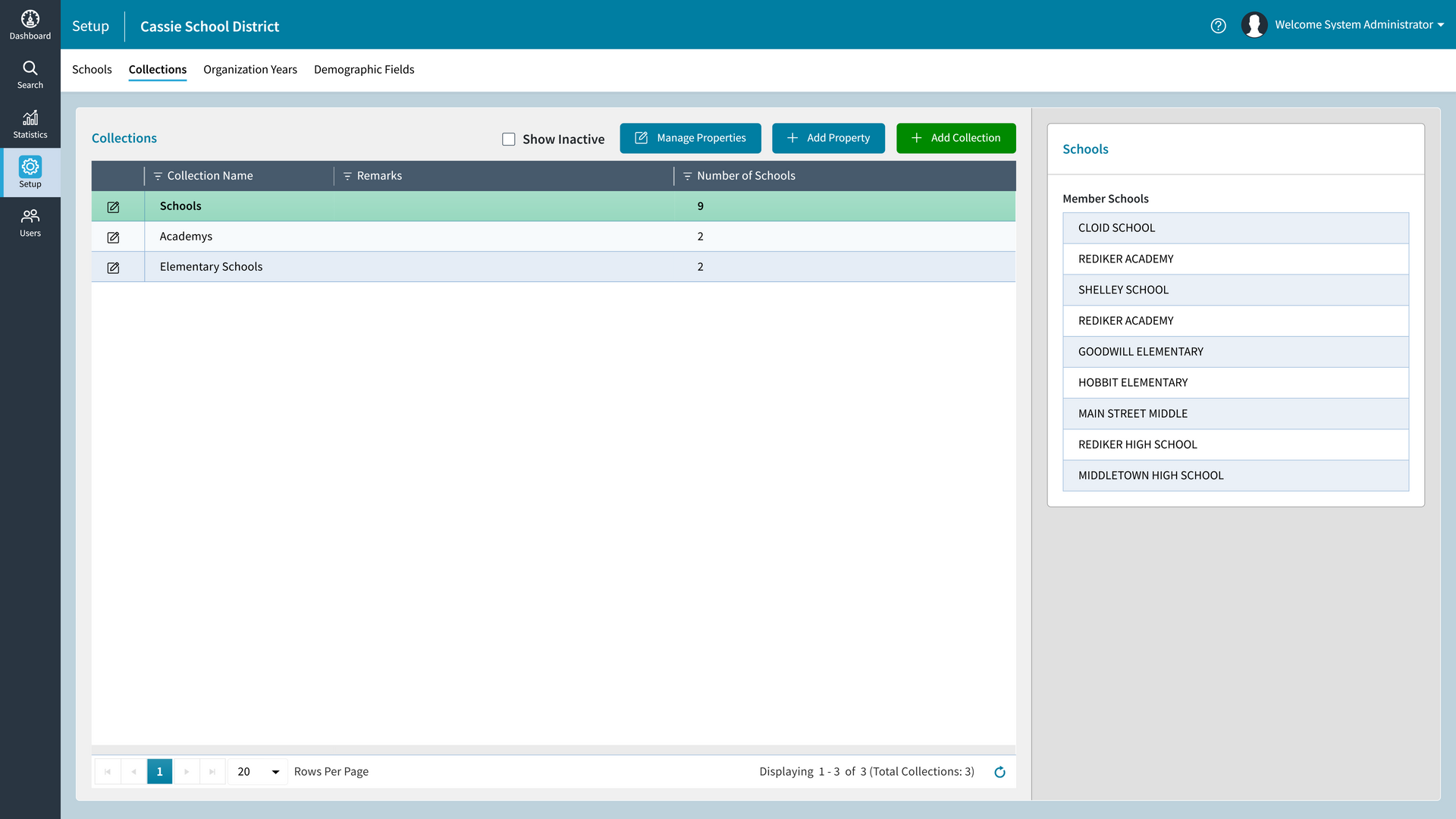
Organization Manager empowers K–12 districts and Catholic dioceses with a unified, real-time view of their school network. Designed to work seamlessly with the AdminPlus® Student Information System, Organization Manager is a centralized and secure online platform for school leaders to utilize data visualization with dynamic dashboards and access advanced cross-school search capabilities on all student, staff, and contact records.
- Data Collection and Visibility Across Multiple Schools
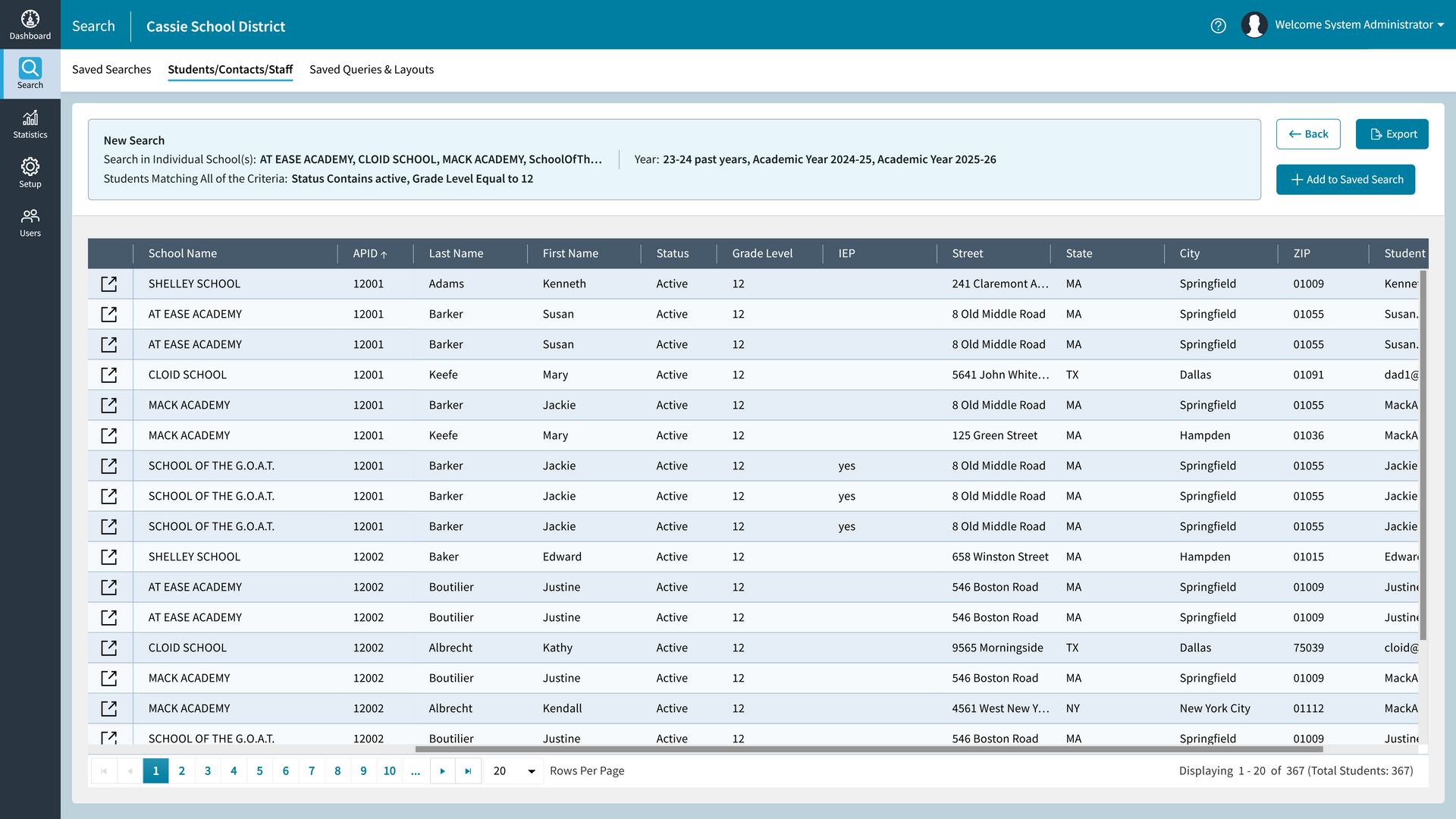
- Search All Student, Staff and Contact Records
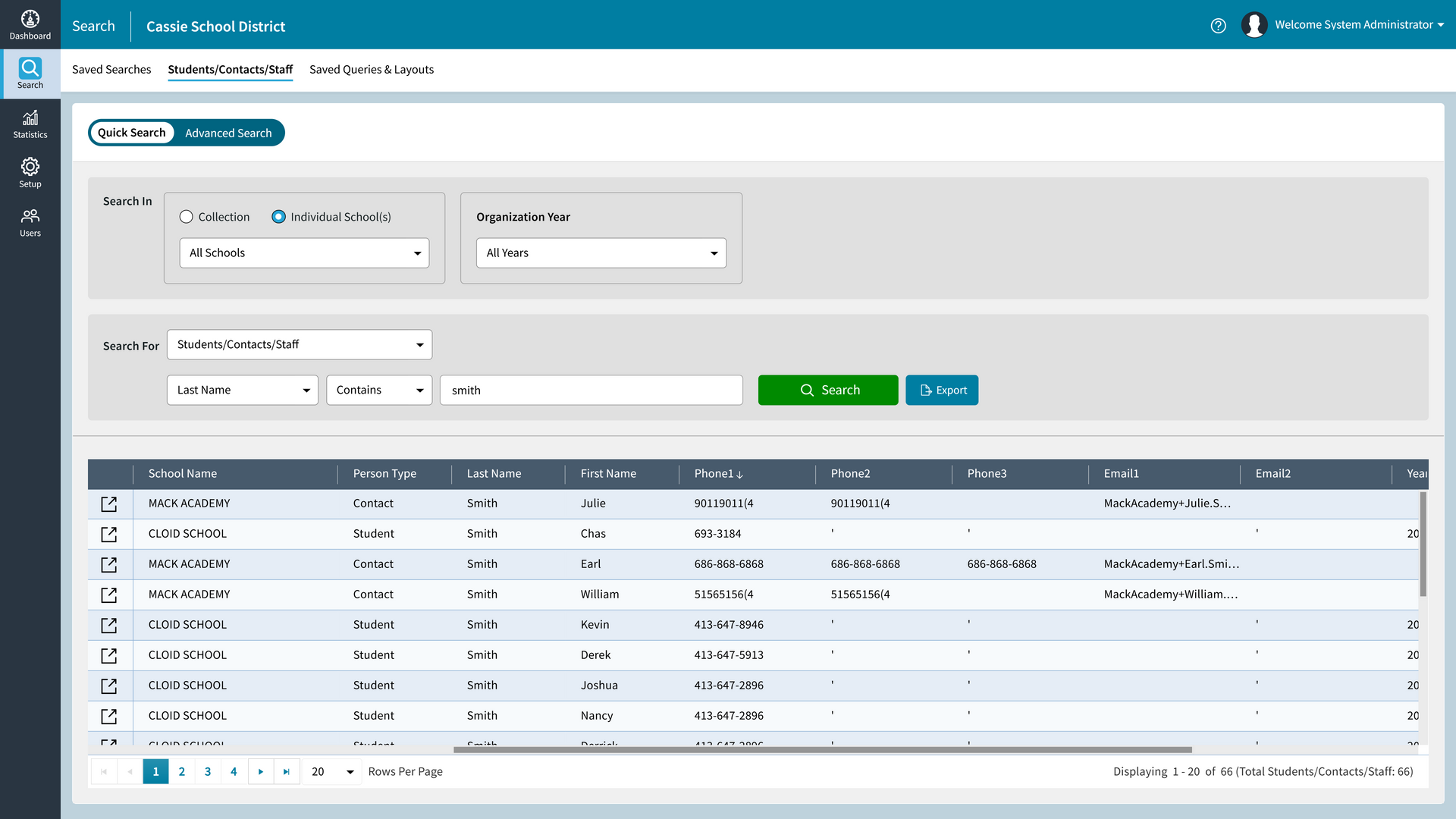
- Quick Search for Fast Lookups
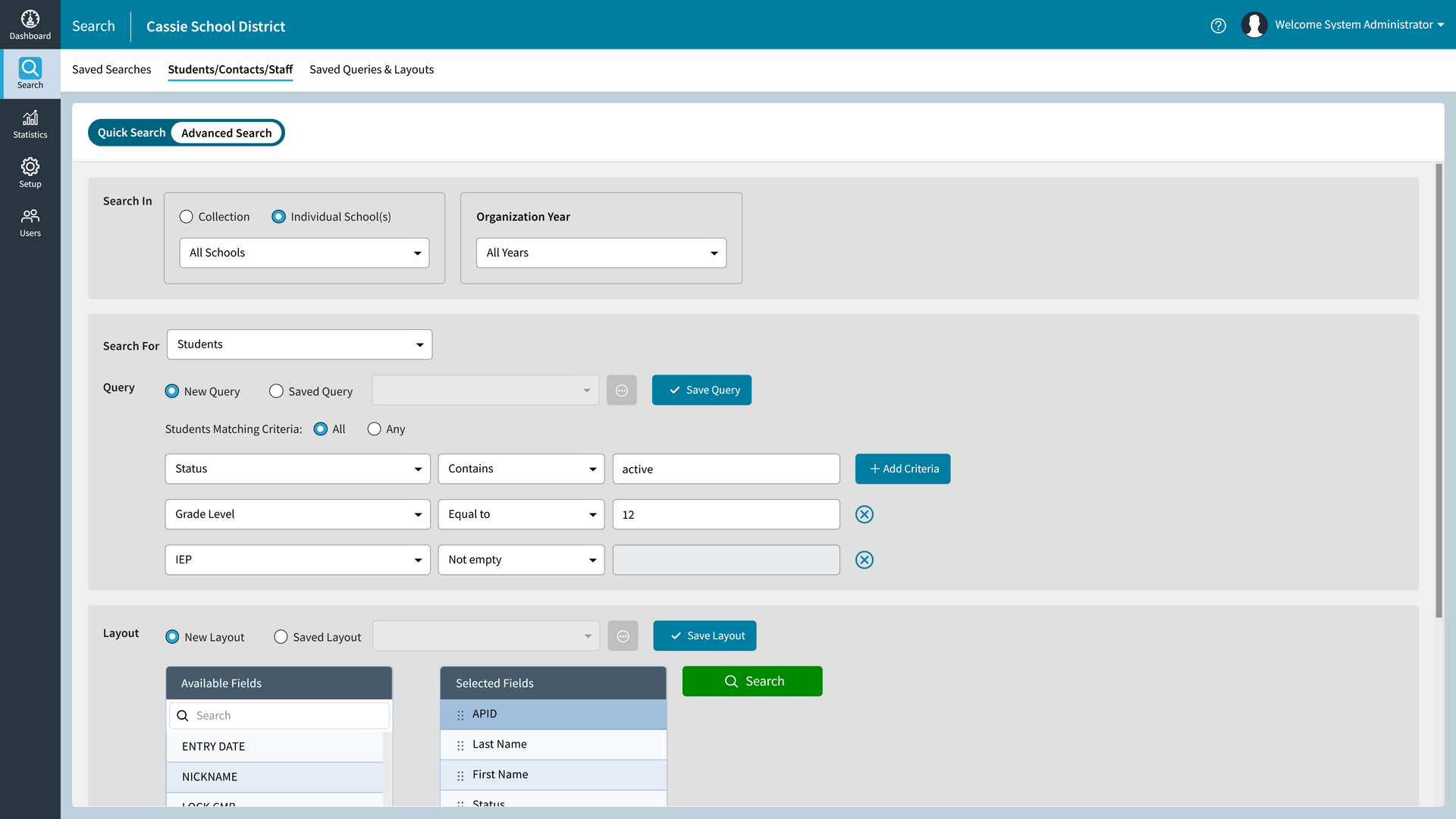
- Advanced Search with Saved Query and Layout Preferences
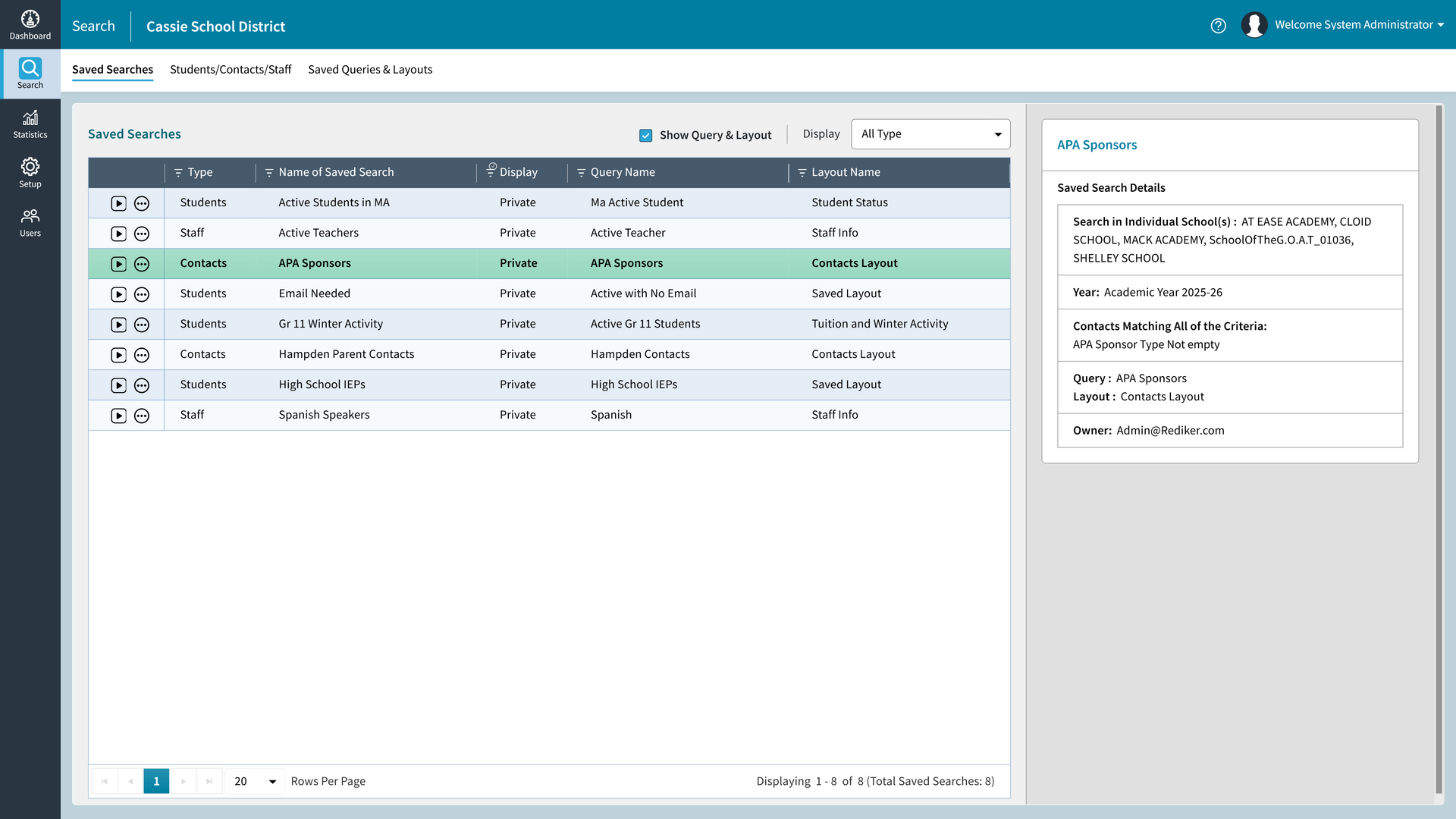
- Save Searches to Share with Other Users
- Customizable Dashboard with Statistics and Graphs

Get Instant Search Results
Search Thousands of Records Across Multiple Schools all at Once
Visualize Key Data Points
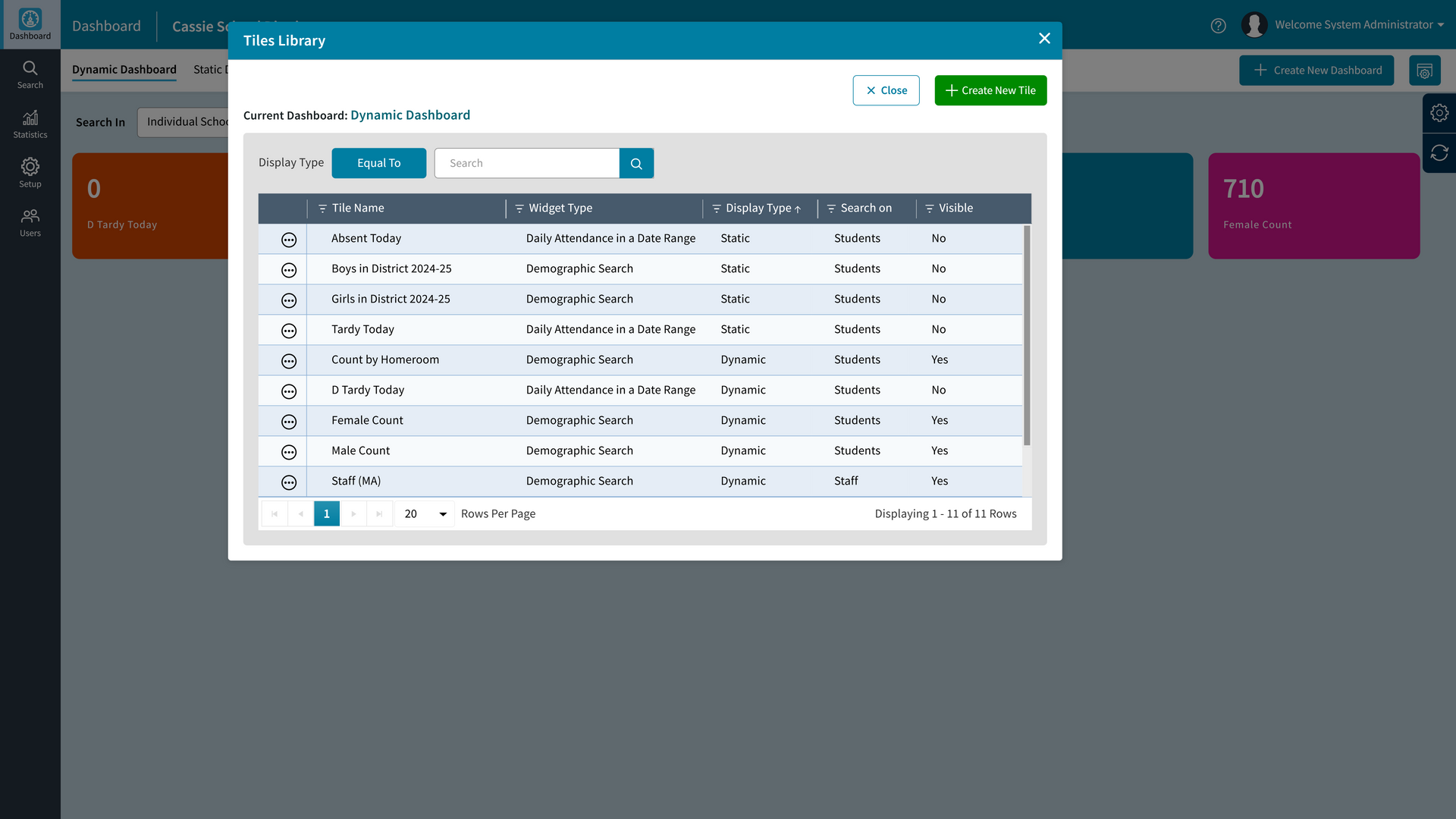
Set Up Your Own Dynamic Dashboard Tiles and Graphs to Track Data
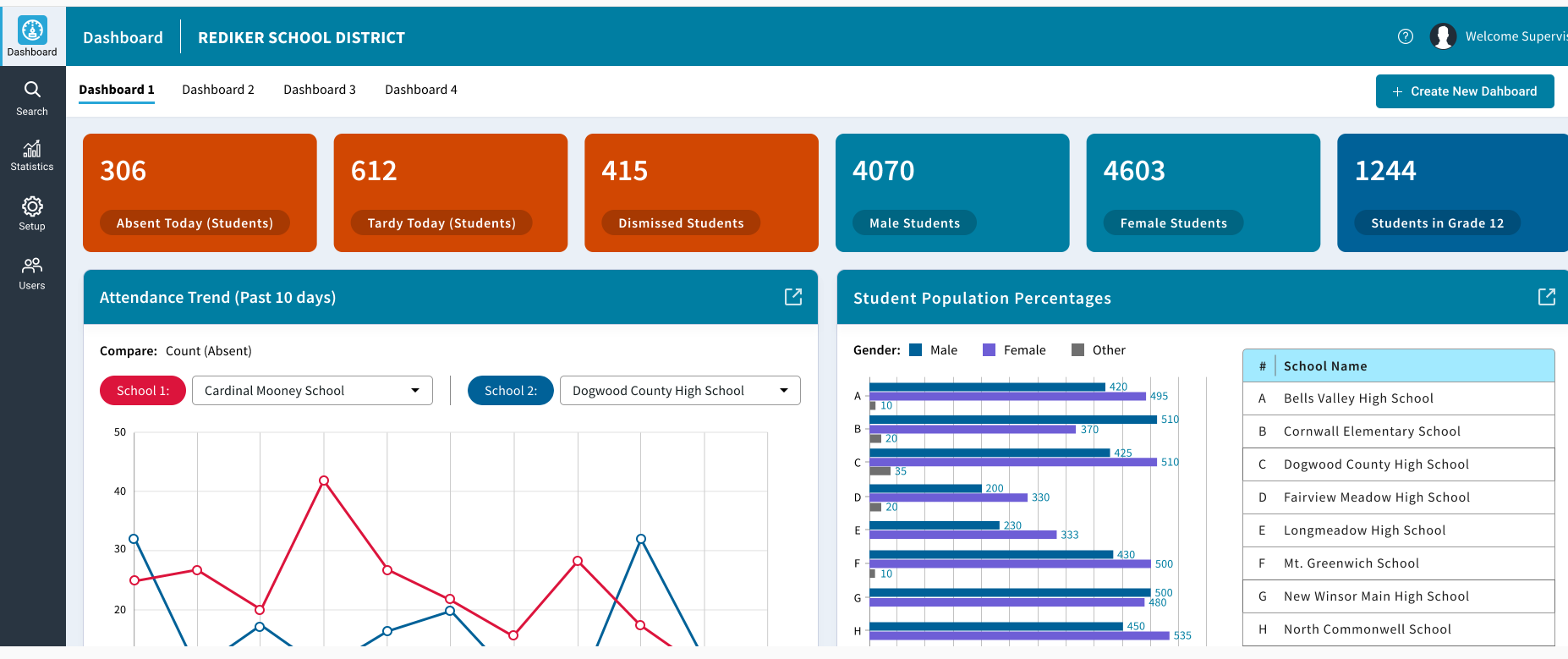
Dashboard
Button
Prepare for State Reporting
Gather Data on District-Wide IEPs, Special Education, and More
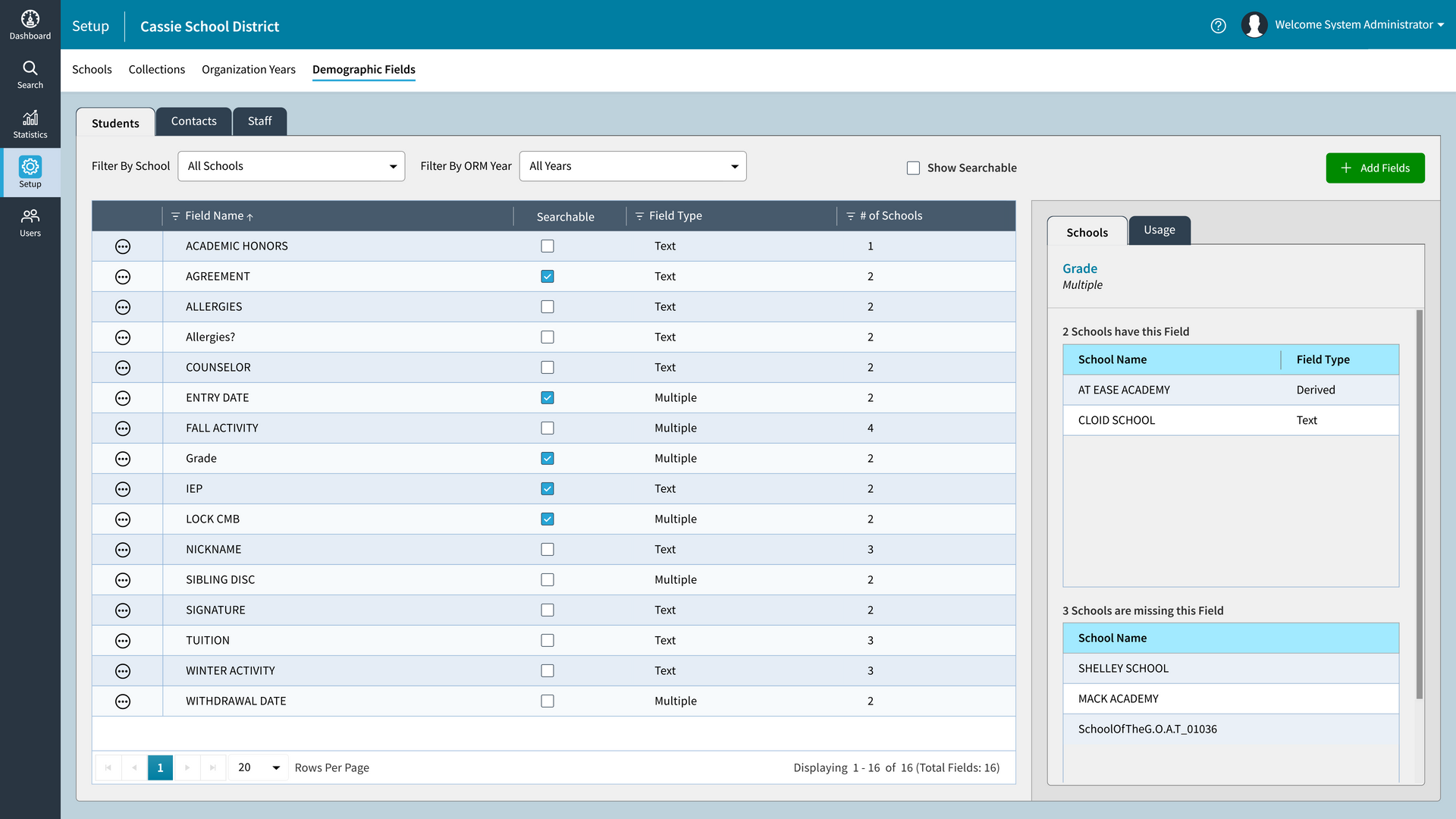
Standardize Data Entry
Identify Mismatching Field Names to Address Inconsistencies

Who is Organization Manager for?
Schools, Districts and Dioceses Using the AdminPlus Student Information System
Superintendents & District Leaders – Monitor attendance, track performance, and prepare for evaluations.
Principals & School Leaders – Access timely school performance data for board reporting.
Directors of Curriculum & Intervention – Quickly identify at-risk students across schools.
Directors of Special Education – View demographic indicators, special education data, and compliance metrics.
District Office Staff – Look up any student, staff, or contact information instantly across all schools.
Anyone Who Needs Multi-School Data — from Catholic diocesan leaders to administrative support teams.
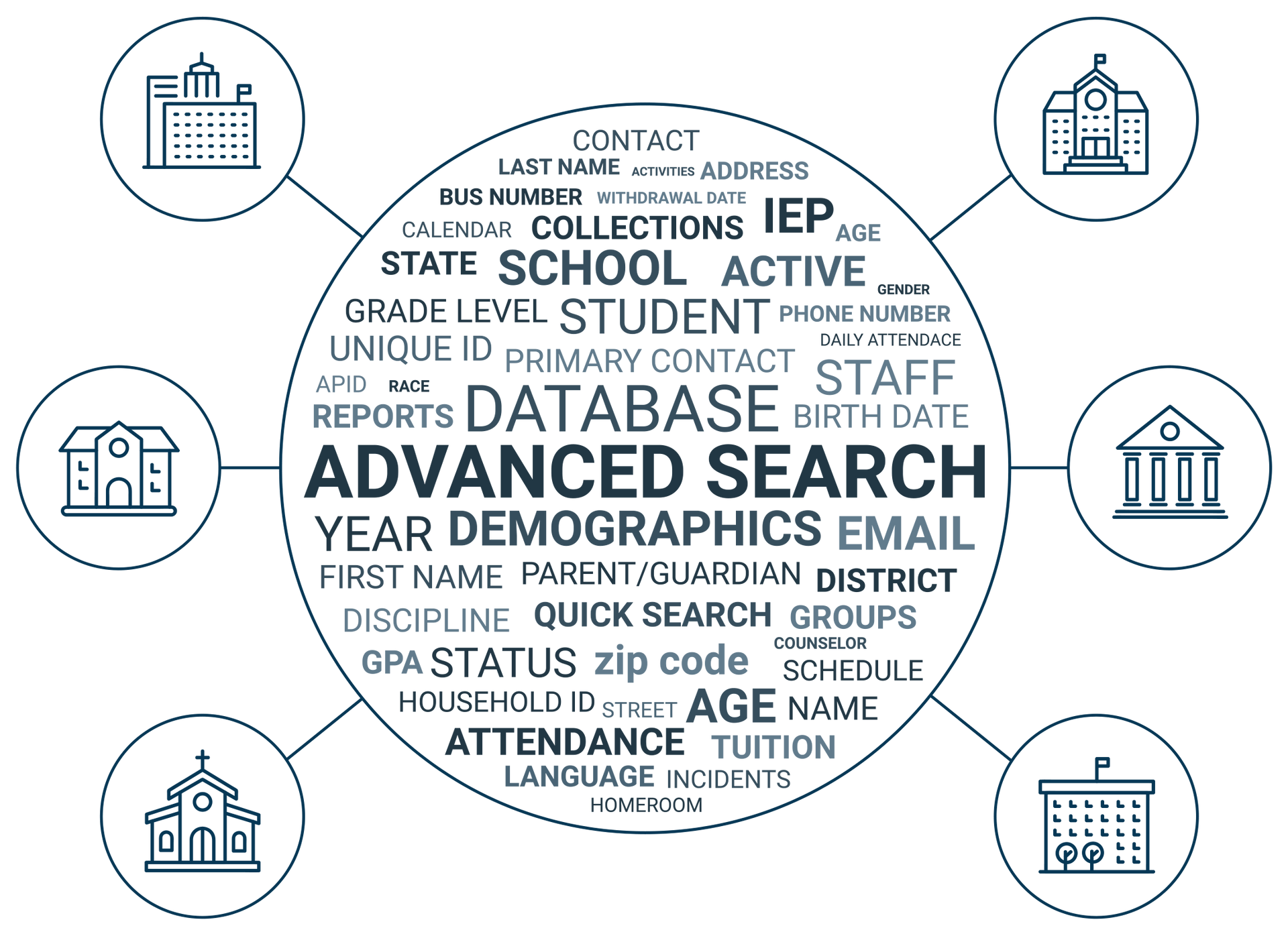
Unlock Hundreds of Search Possibilities
Across Thousands of Staff, Student and Contact Records
Product Gallery
Frequently Asked Questions
What is multi-school management software?
Our multi-school management software, Organization Manager, is built to centralize data sourced from the staff, student, and contact records coming from each AdminPlus database per school. These tools give school leaders such as superintendents and directors of curriculum direct access to view information across the entire network of schools.
Can Organization Manager be used with AdminPlus?
Yes. Organization Manager works seamlessly with Rediker Software's AdminPlus Student Information System and supports a unified login for easy access.
Is Organization Manager secure?
Absolutely. It supports a secure two-factor authentication (2FA) login and follows modern data protection best practices.
Does it support Catholic dioceses and public school districts?
Yes. Organization Manager is designed for both K–12 districts and dioceses that oversee multiple schools. It reads the data coming from the AdminPlus Student Information System used at all of the schools in the network.
Can I export search results?
Yes. Saved searches can be exported as a CSV file for Excel for further analysis or reporting.
What problems does Organization Manager solve?
Organization Manager addresses the challenges school leaders face when dealing with data compilation and visibility among multiple schools. It saves school leaders time and adds value by seamlessly bringing together thousands of searchable data points that may have been otherwise difficult to assemble, making it easier than ever to analyze trends, prepare important reports, and more.
Can Organization Manager help with discrepancies in the database?
Yes, it can help you identify field names that are not consistent across all databases within your network of schools. You may find that some field inputs might not be the same. For example, one school might have labeled the phone field “mobile” while others labeled it “cell”. With Organization Manager, you can pick out these discrepancies, making it easy to pinpoint the schools that need to address alternative naming conventions.