
How to Simplify Paperless Student Re-Enrollment with AdminPlus

For many private, independent, and faith-based schools, student re-enrollment remains one of the most time-consuming administrative processes of the year. Families receive multiple forms, school staff collect and review paperwork, demographic changes must be entered into the student information system, and the business office must establish tuition payment arrangements. A paperless student re-enrollment process can bring those tasks together in one secure online workflow.
Using AdminPlus Online Forms and the AdminPlus Student Information System from Rediker Software, schools can give families a convenient way to verify student information, upload documents, review tuition and fees, agree to school policies, select a payment plan, and submit an initial payment online. The result is a smoother experience for families and a more efficient re-enrollment process for registrars, school administrators, and finance teams.
What Is Paperless Student Re-Enrollment?
Paperless student re-enrollment is the process of allowing returning families to complete required re-enrollment tasks electronically rather than filling out and returning printed forms. A comprehensive online re-enrollment process may allow parents and guardians to:
- Review and update student demographic information
- Verify parent, guardian, and emergency contact information
- Upload medical records and other required documents
- Review registration fees, tuition, financial aid, and scholarships
- Accept school policies and contractual terms
- Provide an electronic signature
- Select a tuition payment plan
- Enter a bank account or credit card
- Authorize automatic payments
- Make a deposit or initial tuition payment
AdminPlus Online Forms can combine these steps into a mobile-responsive workflow that families can complete from a computer, tablet, or phone.
Why Schools Are Moving Away from Paper Re-Enrollment
Traditional re-enrollment often requires schools to distribute large packets of forms to every returning family. Staff members must then collect those packets, determine which forms are missing, review handwritten changes, enter updated information, scan supporting documents, and communicate with families about payments.
For a school with hundreds of returning students, that can mean processing hundreds of multi-page form packages. Paper-based processes can create several challenges:
- Repetitive data entry for school staff
- Greater potential for incomplete or outdated information
- Difficulty tracking which families have responded
- Delays in collecting deposits and establishing payment plans
- Physical document storage requirements
- An inconvenient experience for parents
- Separate processes for enrollment, document collection, and tuition payments
An online process reduces these administrative burdens while helping schools collect more complete and accurate information.
How Paperless Re-Enrollment Works in AdminPlus
Every school has different re-enrollment requirements. AdminPlus Online Forms gives schools the flexibility to build a process around their own data, policies, fees, documents, and payment options.
Here is an example of how the complete workflow can operate.
1. Create a Pre-Populated Re-Enrollment Form
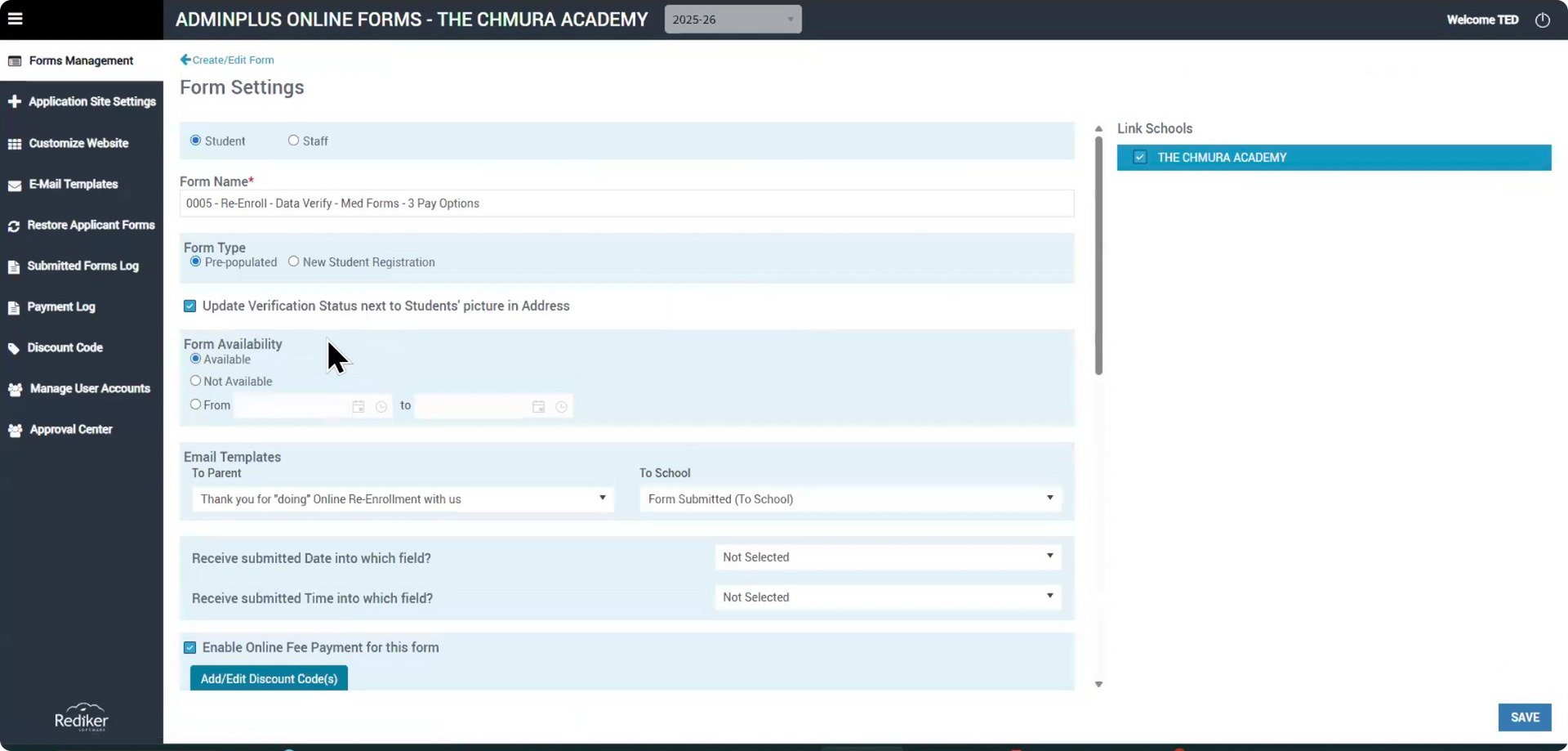
The school begins by creating an AdminPlus Online Form containing the information returning families need to review.
Because the school already has information about the student and family in AdminPlus, the form can be pre-populated with existing data. Parents do not need to re-enter every address, phone number, contact, or demographic detail each year.
Instead, they can review what is already on file, correct outdated information, and complete any missing fields.
Schools can select from the demographic fields available in their AdminPlus database and organize the form into multiple sections or tabs. A form might include:
- Student information
- Parent and guardian information
- Emergency contacts
- Medical information
- Required document uploads
- Tuition and fee information
- Terms and conditions
- Electronic signatures
- Payment-plan selection
This makes re-enrollment easier for families while helping the school conduct an annual review of its student data.
2. Publish Forms and Email Families
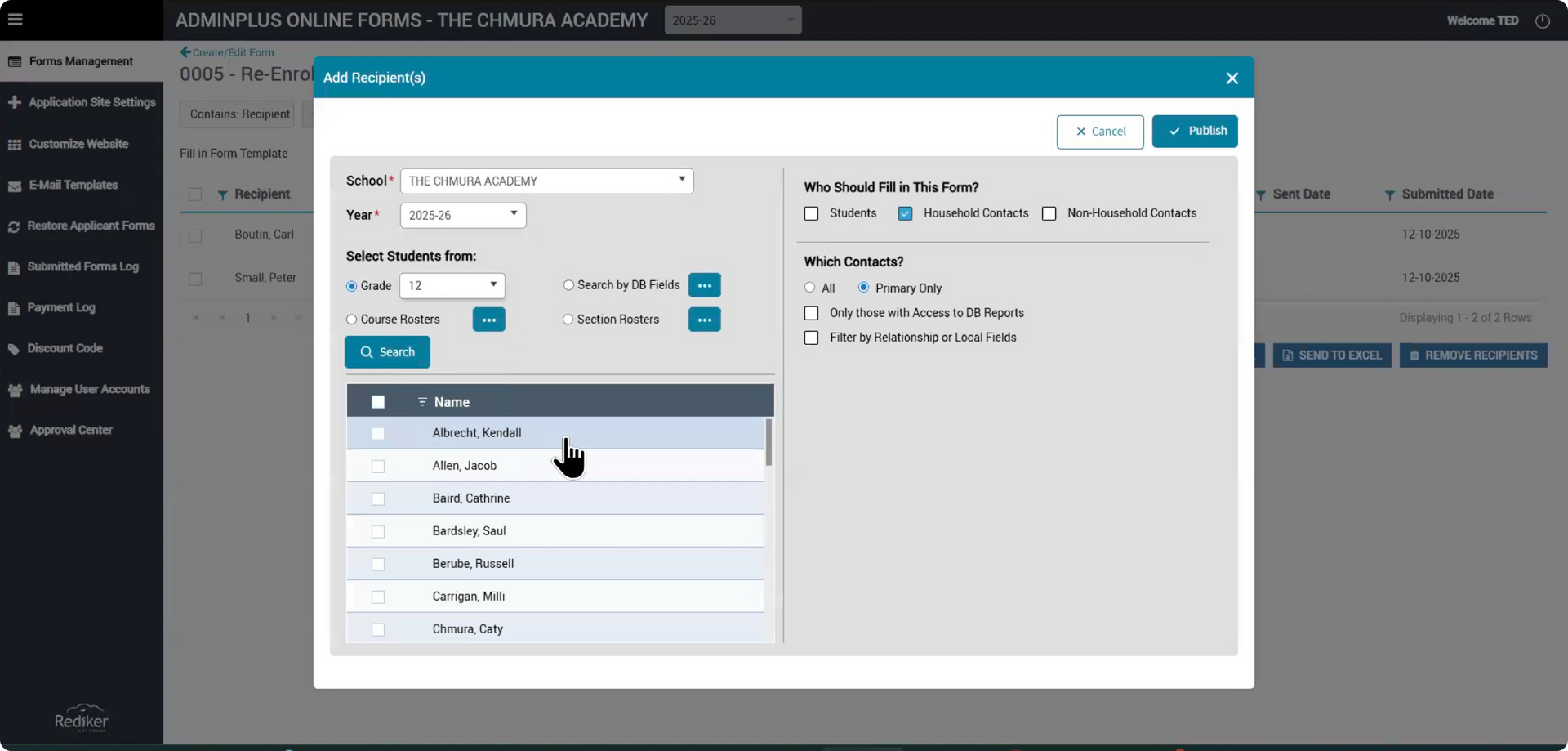
Once the form is ready, staff can publish it for the appropriate students. Schools may distribute a form to a particular grade, a selected group of students, or the broader returning student population. Email invitations can then be sent to the designated parents or guardians.
Families can access the form from the email invitation or through the school’s Parent Portal. This gives parents a direct path to the re-enrollment workflow without requiring the school to print and mail form packets.
3. Let Families Verify Their Information
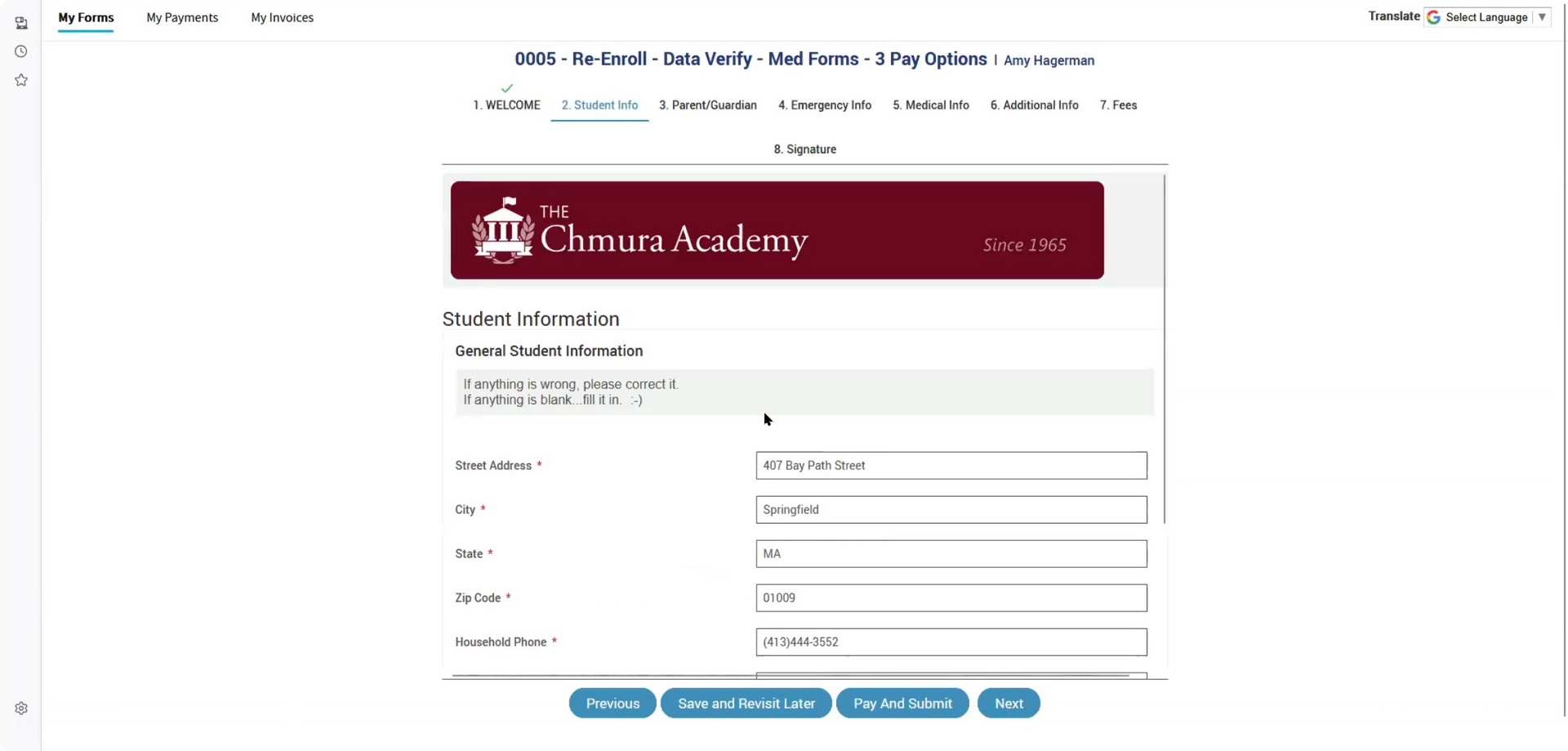
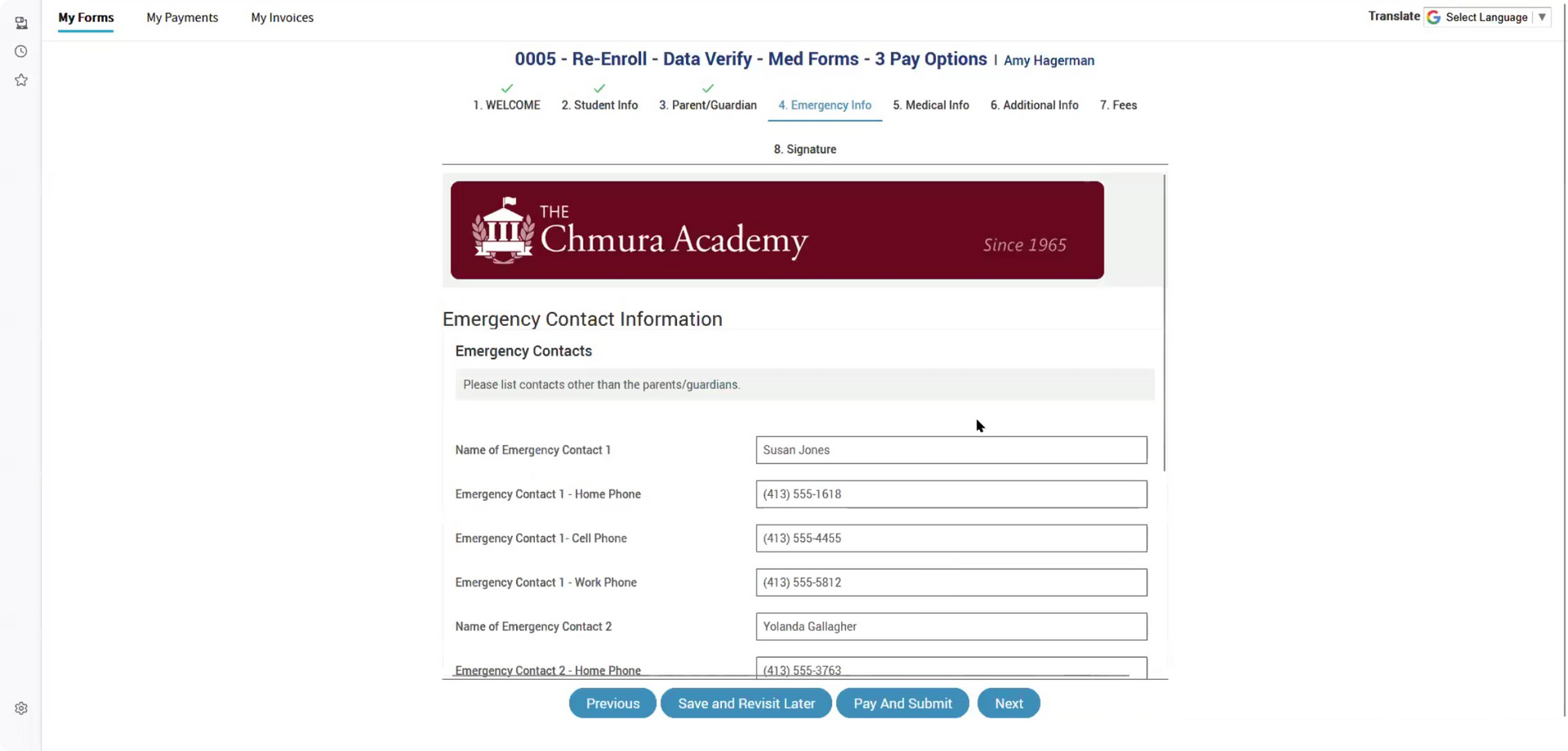
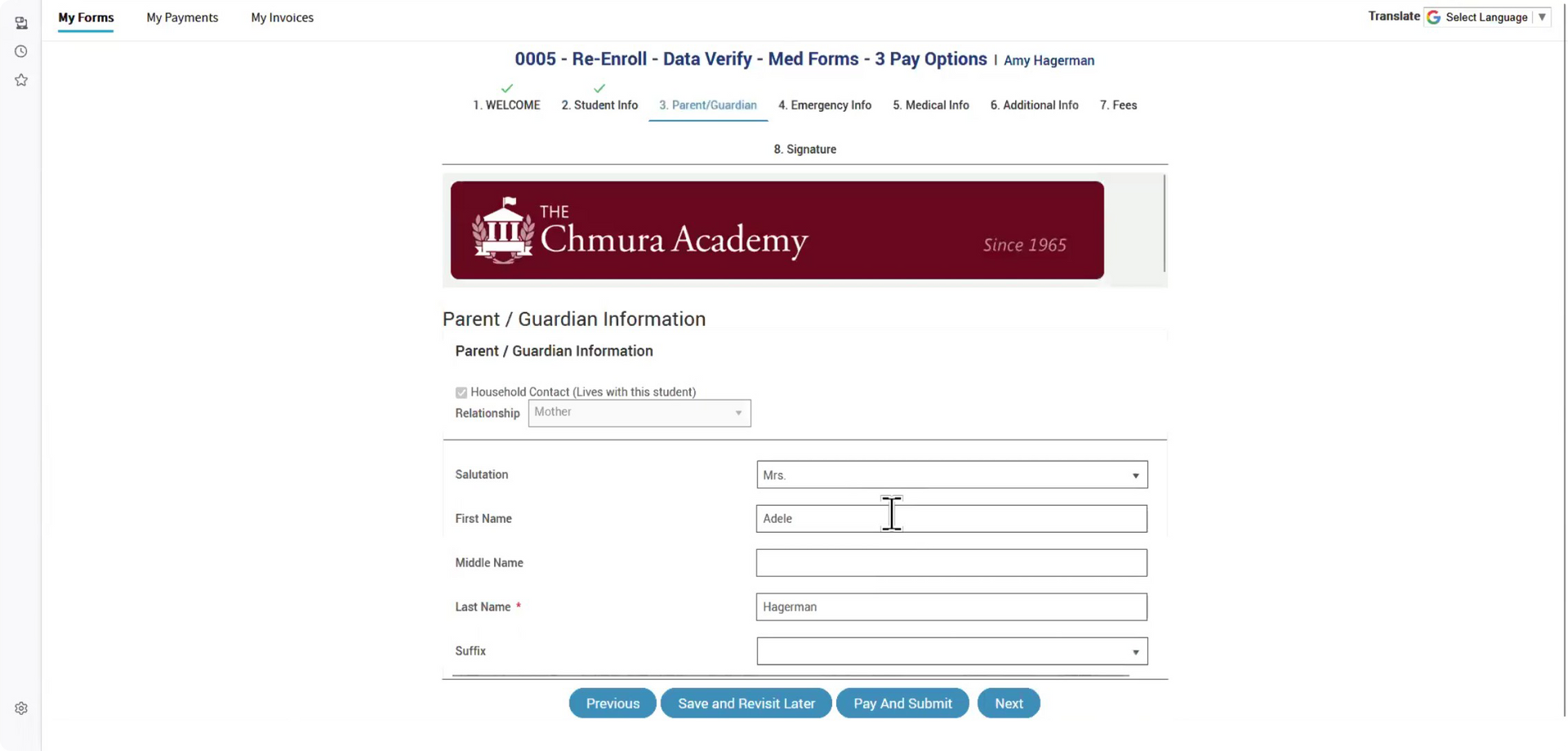
When parents open the form, they can review the information that the school already has on file. For example, a parent might:
- Add a missing employer name
- Update a phone number
- Correct an emergency contact
- Add another authorized contact
- Update physician information
- Confirm that an address is still accurate
Because the forms are mobile-responsive, families can complete the process from a tablet or mobile phone as well as a desktop computer. If a parent needs to locate a document or cannot complete the process in one sitting, the form can be saved and revisited later.
4. Collect Medical Records and Other Documents Online
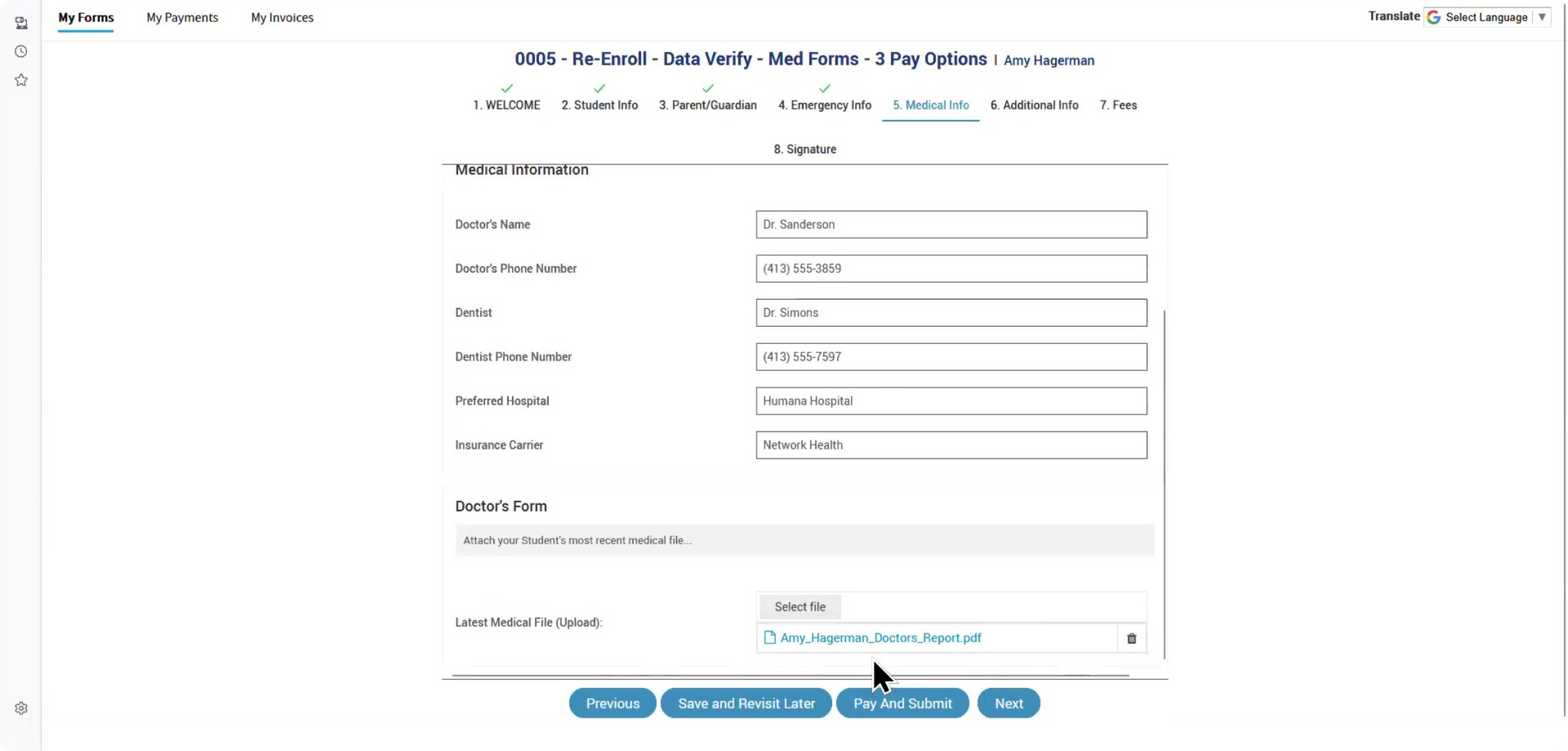
Re-enrollment frequently requires updated medical forms, physician reports, proof of residency, or other supporting documents.
Parents can attach these files directly to the online form. Once the school approves the submission, the uploaded file can be added to the student’s Portfolio in AdminPlus.
This creates a more organized process for collecting student documents and reduces the need for families to deliver paperwork to the school office. It also helps staff avoid manually scanning, naming, and filing every document.
5. Show Each Family Its Tuition and Fees
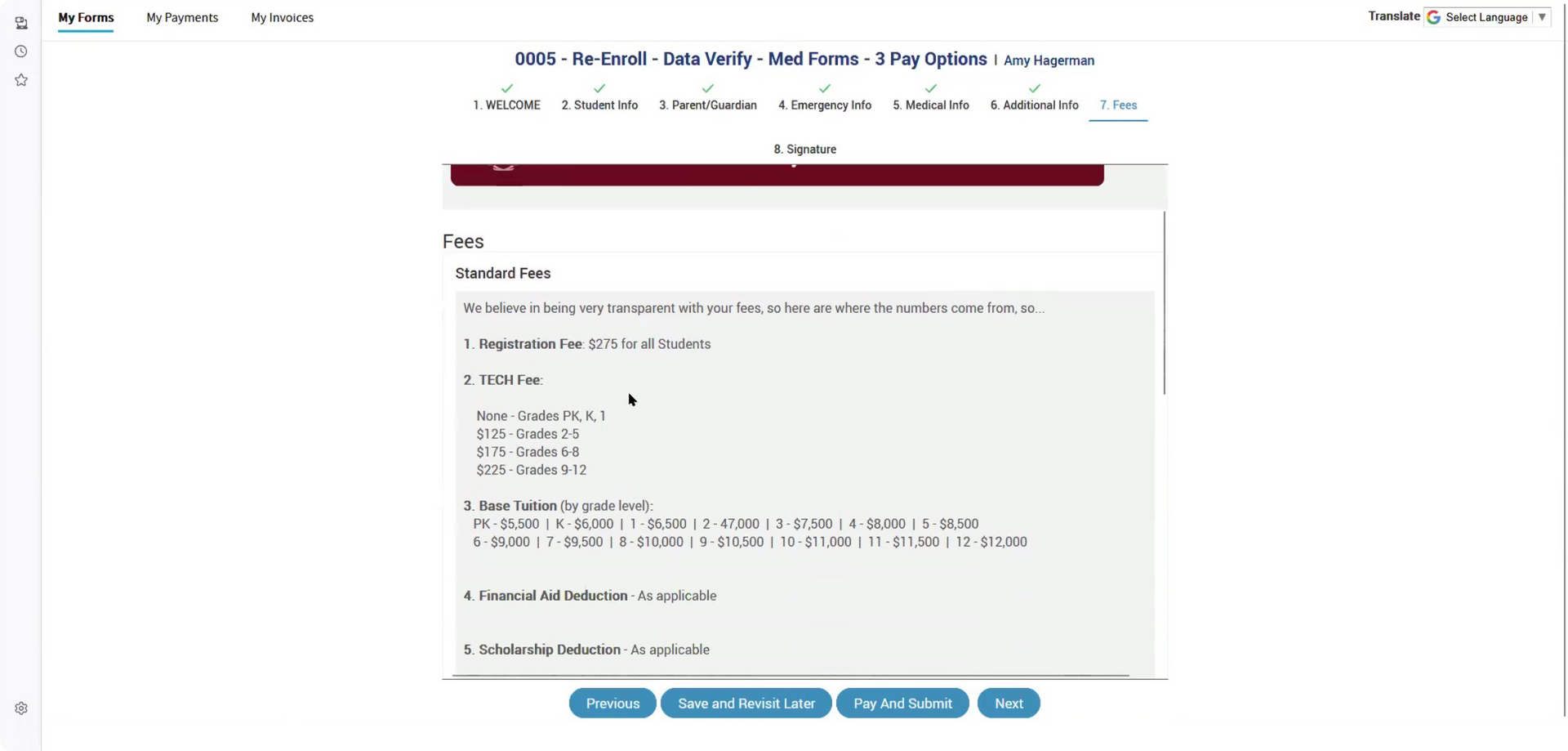
Transparency is an important part of the re-enrollment experience. Families want to understand their upcoming financial obligations before agreeing to return for another school year. The online form can display student-specific financial information, such as:
- Registration fees
- Grade-level technology fees
- Tuition
- Financial aid
- Scholarships
- Optional purchases
- The total amount due
In the demonstrated workflow, individualized charges were calculated and batch uploaded to the student’s AdminPlus record so they could be displayed to the family during re-enrollment. This allows parents to review the financial details in the same workflow they use to verify information and sign the school’s agreement.
6. Present Terms and Capture an Electronic Signature
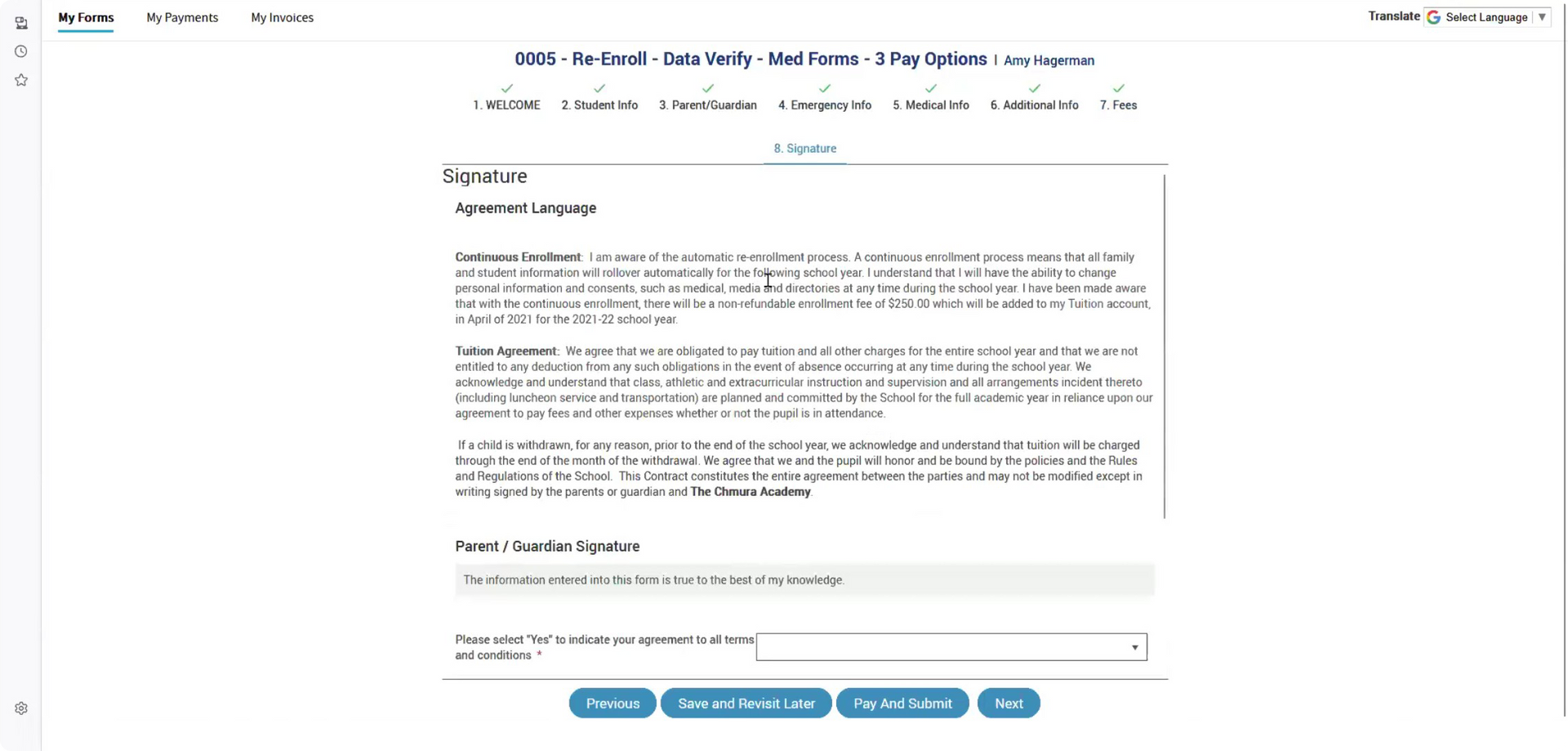
Schools can include their re-enrollment terms, policies, and contractual language in the online form. Parents can review the language, indicate their agreement, and provide an electronic signature. The completed form can then be stored as a digital record in the student’s AdminPlus Portfolio.
Schools should develop and review their contractual language with their own legal counsel before publishing it to families.
7. Offer Flexible Tuition Payment Plans
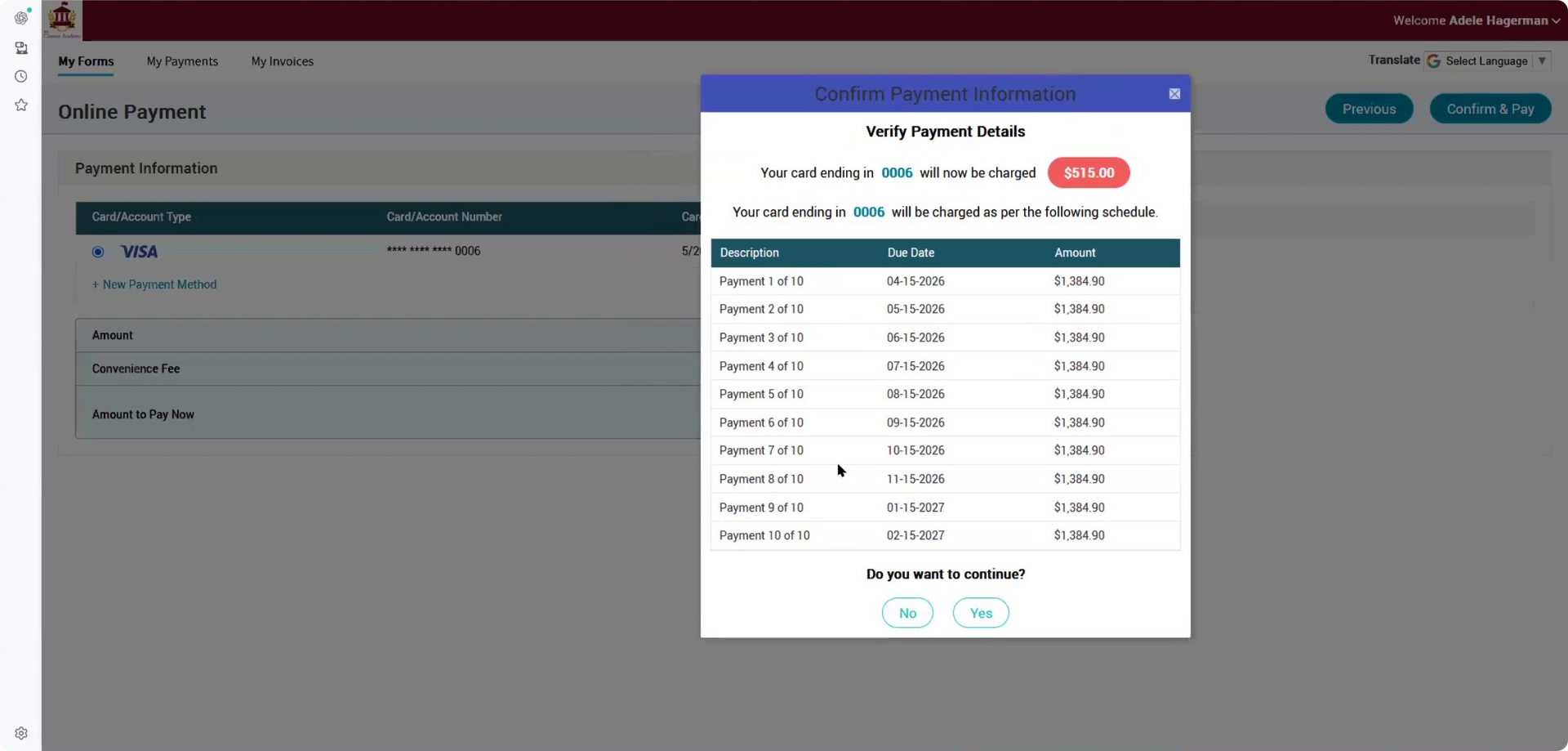
Paying tuition in a single payment is not practical for every family. Offering payment options can make re-enrollment more manageable and help families select an arrangement that fits their needs. For example, a school could provide:
- A single-payment option
- A quarterly payment plan
- A 10-payment monthly plan
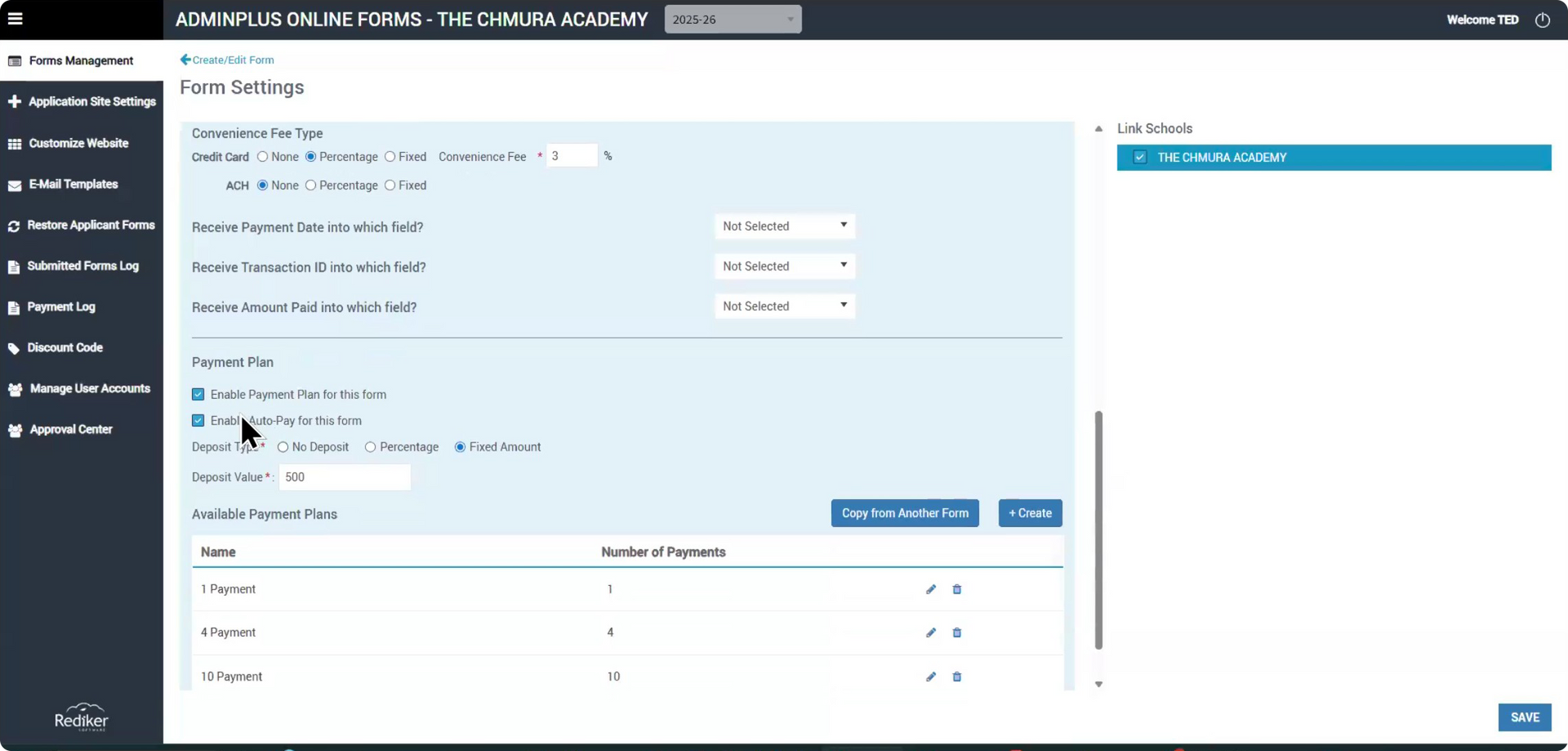
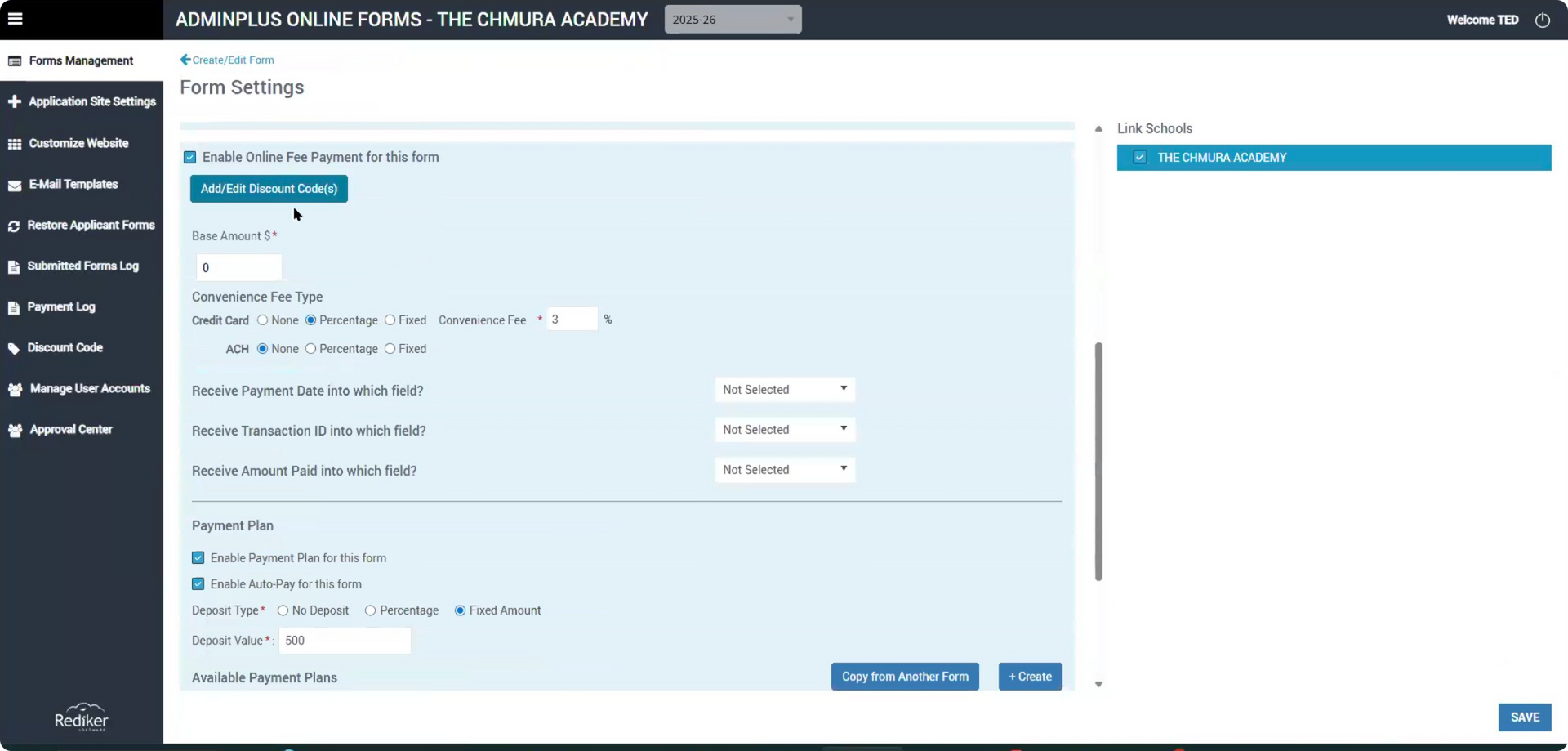
The available choices can be configured according to the school’s policies. Families can select a plan, enter a bank account or credit card, authorize future payments, and submit the required deposit.
Autopay can then process scheduled payments on the agreed dates, reducing the need for staff to manually collect each installment.
School Staff Remain in Control of Data Changes
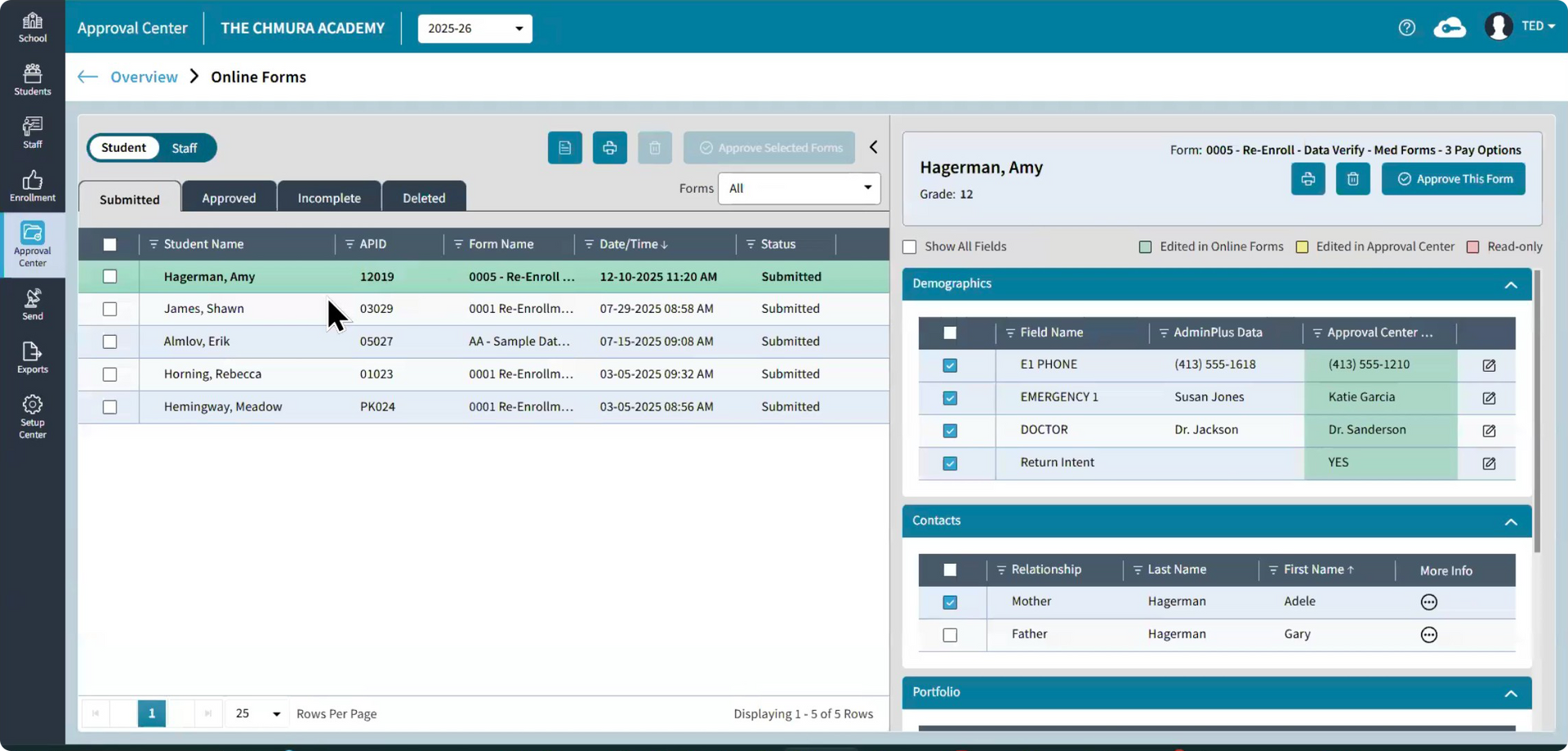
Allowing families to submit updated information does not mean that parents directly edit the school’s database.
Submitted forms can be reviewed by authorized school staff before changes are accepted. AdminPlus identifies the information a family changed, allowing staff to compare the previous data with the submitted data. Once the submission is approved:
- Accepted demographic changes update the student record
- The student’s verification status is updated
- Completed forms are stored in the student Portfolio
- Uploaded documents are added to the Portfolio
- Payment information is recorded
- Scheduled payments are established
This approval step helps schools maintain control over the accuracy and integrity of their student information.
Track Which Students Have Verified Their Information
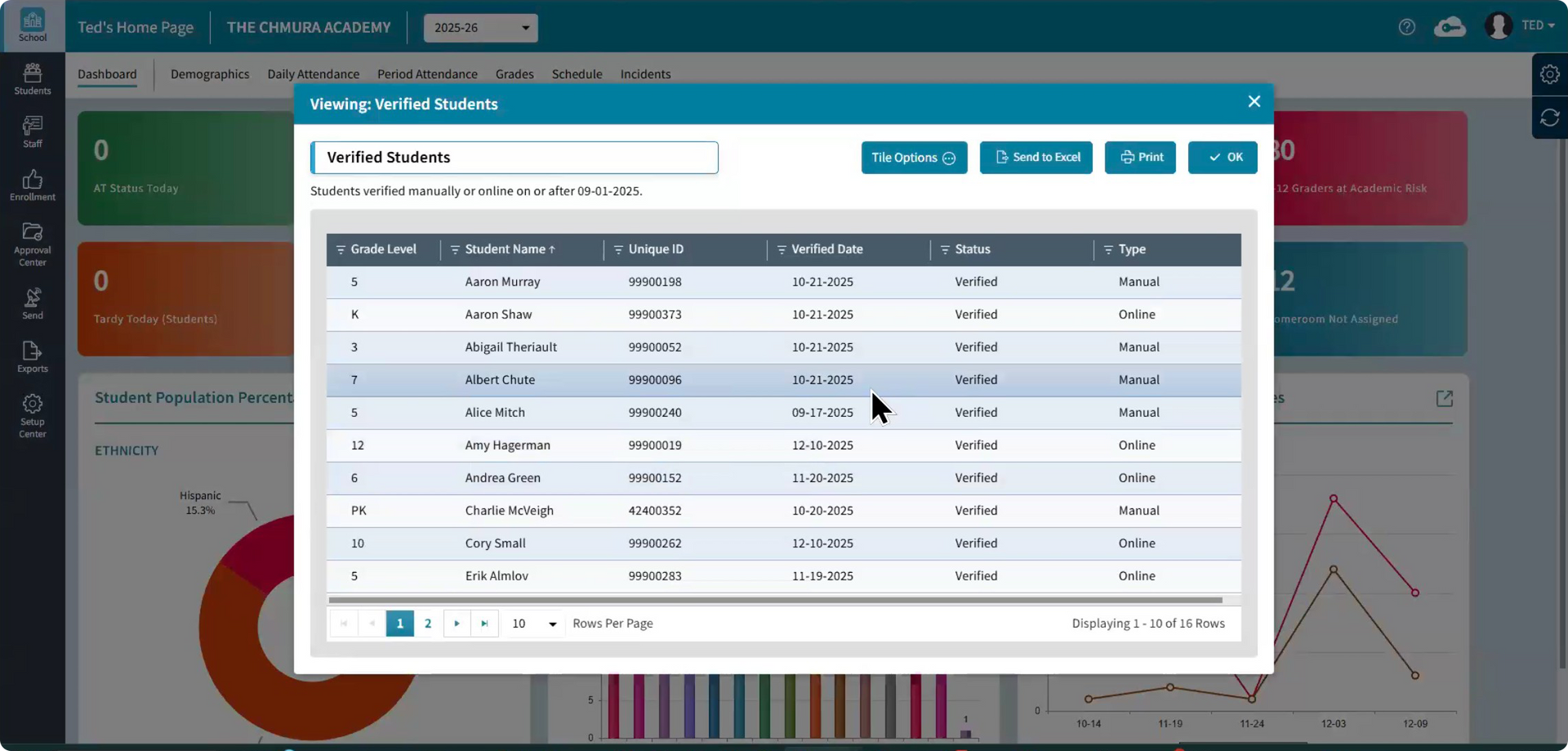
After a form is approved, AdminPlus can indicate that the student’s demographic information has been verified.
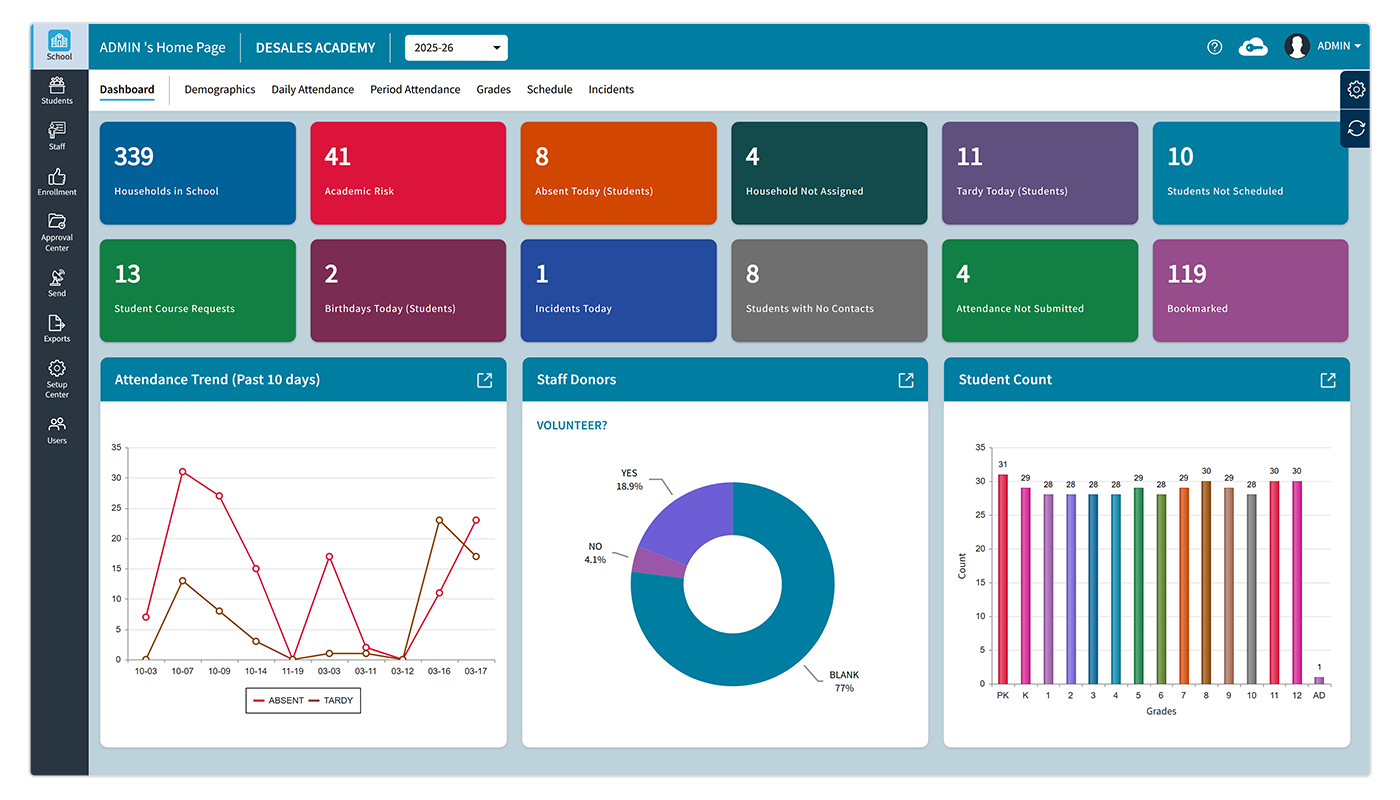
Schools can also use a dashboard widget to monitor verified and unverified students. This gives administrators a quick way to see which families have completed the process and which may require a reminder.
Instead of reviewing stacks of folders or maintaining a separate spreadsheet, staff can monitor progress within the SIS.
Follow the Data and the Money
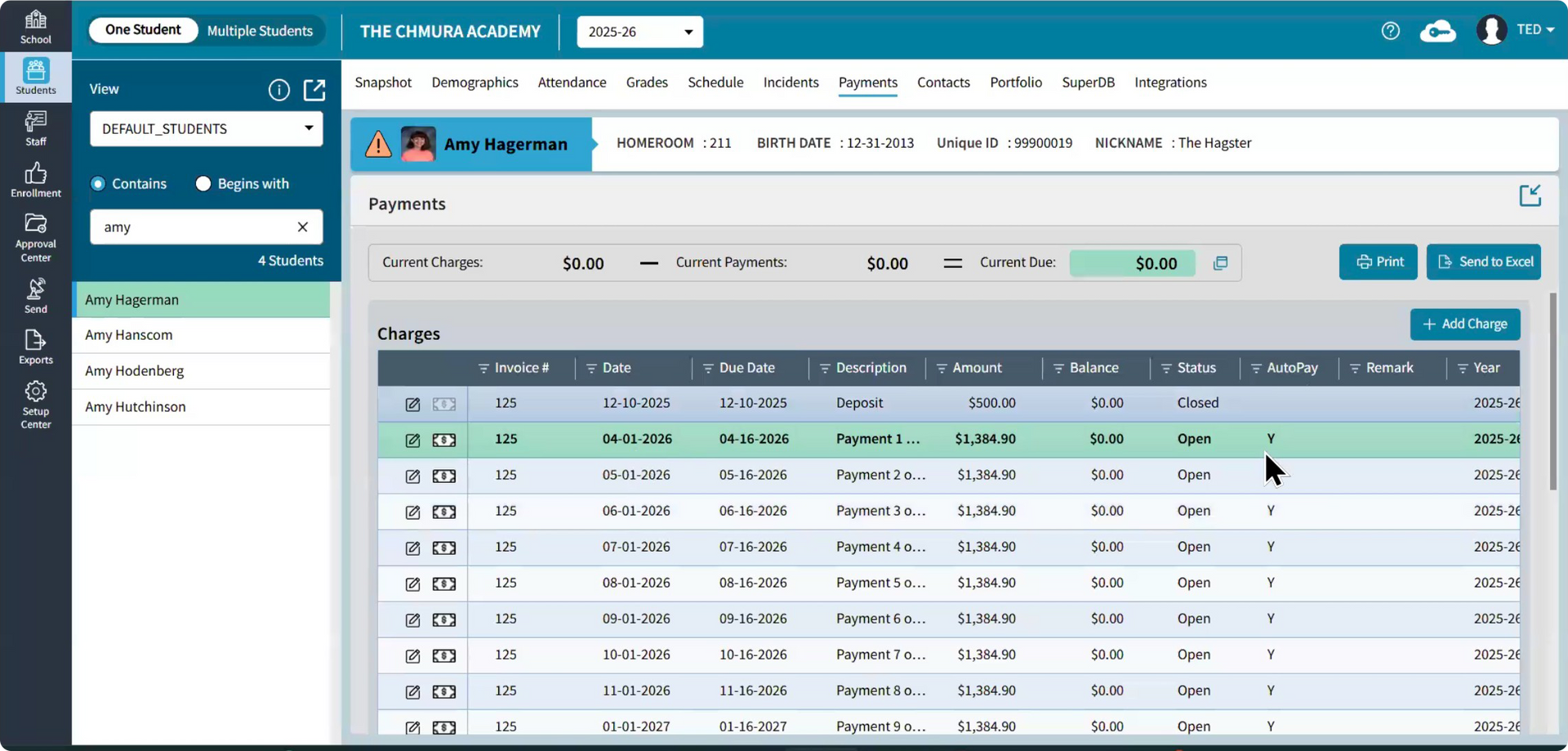
An effective re-enrollment system should support both the administrative and financial sides of the process. With AdminPlus, school staff can follow the submitted data as it moves into the student record and Portfolio. The finance office can follow deposits, payment methods, scheduled installments, adjustments, and refunds through the online payment tools. This shared workflow provides relevant information to:
- Registrars
- Admissions and enrollment staff
- School administrators
- Business managers
- Finance directors
- Parent service teams
Rather than relying on disconnected tools and manual handoffs, departments can work from information connected to the school’s student information system.
Benefits of Using AdminPlus for Online Re-Enrollment
Moving re-enrollment online can help schools:
Save Administrative Time
Staff spend less time sorting paperwork, comparing forms with database records, entering changes, scanning documents, and tracking payments manually.
Improve Data Accuracy
Parents review the information already on file and submit corrections. School staff can then approve those changes before they reach the student record.
Make Re-Enrollment Easier for Families
Parents can complete the process online, use a mobile device, save their progress, upload documents, and choose a payment plan.
Collect Documents More Efficiently
Medical forms and other required files can be submitted with the re-enrollment form and stored in the student Portfolio.
Increase Financial Transparency
Families can see their tuition, fees, aid, scholarships, and optional charges before signing their agreement.
Simplify Tuition Collection
Schools can collect an initial deposit, offer multiple payment plans, and establish automatic payments as part of the same workflow.
Reduce Dependence on Separate Systems
Schools may be able to complete more of the re-enrollment process through the software they already use, reducing duplicate work and reliance on third-party applications.
Create a Better Re-Enrollment Experience with Rediker Software
Paperless re-enrollment is more than replacing printed forms with electronic versions. It is an opportunity to connect student data verification, document collection, school agreements, tuition planning, and online payments in one convenient process.
AdminPlus Online Forms and the AdminPlus Student Information System help PK-12 schools provide a simpler experience for returning families while reducing manual work for administrators and finance teams.
Schools interested in creating an online re-enrollment workflow can contact their Rediker Software account manager to discuss available options, configuration, and training.
Frequently Asked Questions About Paperless Re-Enrollment
AdminPlus Online Forms with Rediker Software
Can parents complete AdminPlus re-enrollment on a mobile phone?
Yes. AdminPlus Online Forms are mobile-responsive, allowing parents to complete forms using a phone, tablet, or computer.
Can re-enrollment forms be pre-filled with existing student information?
Yes. Schools can create pre-populated forms using information already stored in the AdminPlus Student Information System. Parents can verify the information and submit corrections where necessary.
Can parents upload medical forms during re-enrollment?
Yes. Schools can include file-upload fields for medical records and other required documents. After the submission is approved, the uploaded documents can be stored in the student’s AdminPlus Portfolio.
Can families select a tuition payment plan?
Yes. Schools can configure multiple payment-plan options. Parents can select a plan, provide a payment method, authorize Auto-Pay, and make an initial payment.
Do parent changes automatically overwrite SIS data?
No. School staff can review submitted changes before approving them and applying them to the student record in the AdminPlus Student Information System(SIS).
Can schools track which families have completed re-enrollment?
Yes. The student verification status and AdminPlus Student Information Stystem dashboard tools can help staff identify verified and unverified students.
Share this Post: